“Can you help us improve our reporting?” is a promising enquiry. It still leaves you guessing about the problem, the deadline and what the client expects you to deliver. Then, once the details arrive, someone has to decide what happens next.
Fillout brings those two jobs together: collecting a relevant client brief and configuring the follow-up after submission. For consultants and small service teams, that is a stronger reason to consider it than simply replacing one contact form with another.
Disclosure: ApexTool may earn a commission if you purchase through our Fillout link.
Collect the brief you need for a useful first call
If you offer several services, the same questions will not fit every enquiry. Someone seeking a one-off process review needs a different conversation from someone looking for ongoing support.
Fillout lets you build a form with drag-and-drop fields and show individual follow-up questions based on earlier answers. A prospect choosing “Set up or improve a process” could see “Which tools need to stay?” Someone requesting ongoing support could instead see “What needs regular attention, and how often?”
You keep one enquiry form, without asking every client to work through every service's questions.
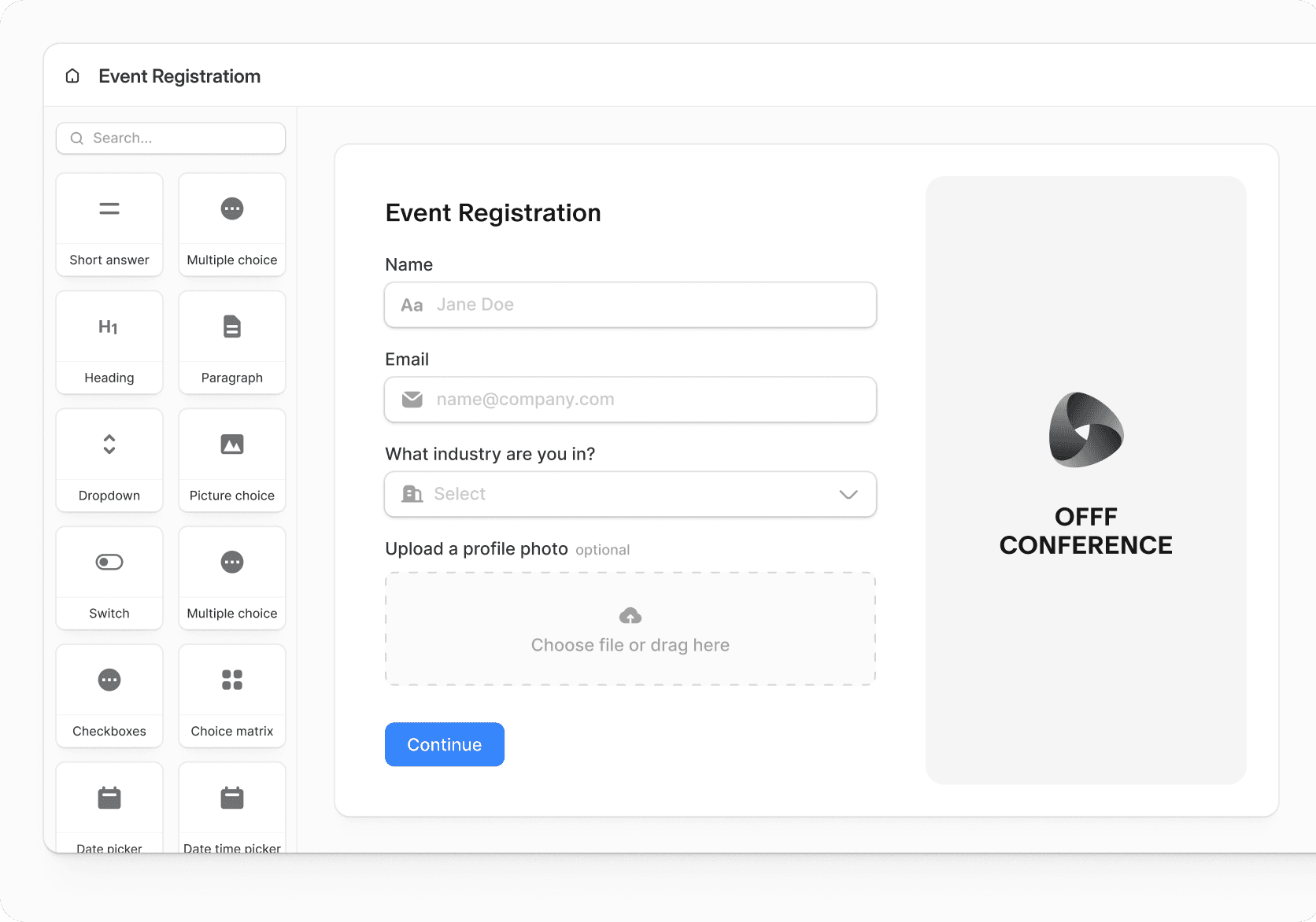
Imagine a design business asking for help with weekly reporting. This is a fictional example, not a customer result.
Before: “We need a dashboard. Could you send us a price?”
The brief you want: “Three project leads update different spreadsheets. We want one weekly view of deadlines and workload. A new team member starts in six weeks, and we want to keep Google Workspace. Our provisional budget is AUD $2,000–$4,000.”
Now you have something concrete to discuss: the existing sheet structure, what must work before the new starter arrives and whether to begin with a smaller first phase. It is not enough for a fixed quote, but it is a more useful starting point than guessing what “a dashboard” means.
Decide what happens after someone submits
A clearer brief is only half the job. If every enquiry still lands in an unorganised pile, you have improved collection without improving follow-up.
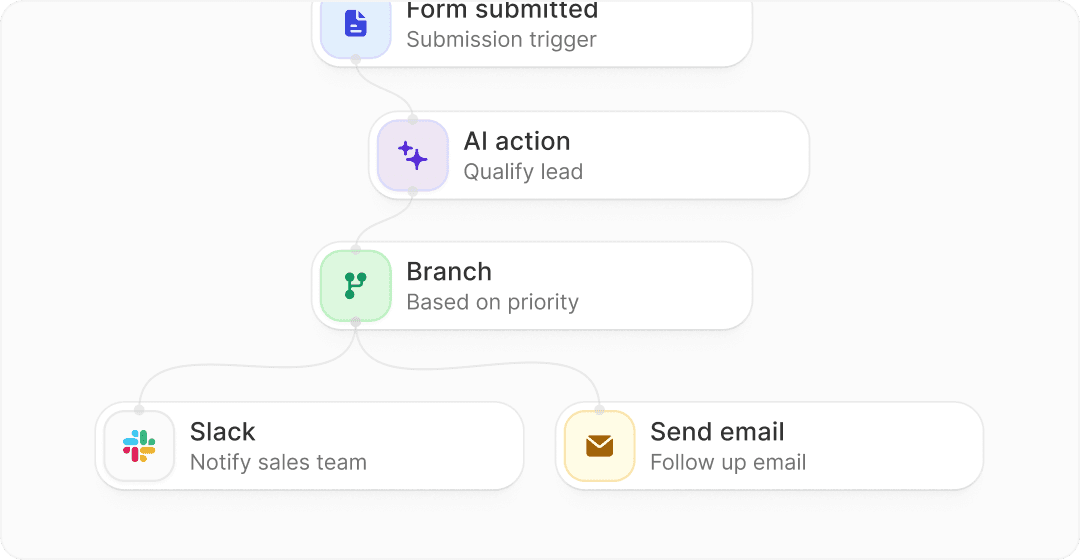
Fillout's Workflows support configured automations, including AI summarisation and classification of submissions. Its website also illustrates a lead-routing sequence: a form submission triggers AI qualification, a priority branch determines the route, and Slack or email handles the next notification or follow-up.
For a small consulting team, the potential value is having an enquiry reach the right person with useful context. You might want a colleague to review process-improvement requests while you handle ongoing-support enquiries. The workflow needs to reflect those responsibilities; it does not know your sales process until you configure it.
That is the case for considering Fillout: relevant questions at the front, with a deliberate next step behind them. Keep human review of AI classifications, particularly before treating an enquiry as unsuitable.
Google Forms also supports branching to different sections. Fillout is worth evaluating when its individual-field controls and built-in workflow options fit how you want to handle enquiries, not because other form builders cannot branch.
A client intake form template to build on
Start with a name, reply email and these four questions:
- What would you like help with? Use your actual service names.
- What problem are you trying to solve, and what would a useful result look like?
- Is there a deadline, and what makes it important? Allow “No fixed deadline”.
- Have you set a budget, or do you need help understanding the cost? Ask for an amount and currency only when there is a budget to share.
Our companion plain-text template expands this to ten core questions, plus an optional budget follow-up. Adapt it to your services; keep passwords, confidential files and detailed discovery out of the first enquiry.
Start with basic intake; add the workflow you actually need
Fillout's current Free plan includes conditional logic and 1,000 monthly responses, making it a practical place to try basic intake. Pro removes Fillout branding; Business adds a custom domain. CAPTCHA sits outside Free.
Check the limits and plan requirements for your intended automation, including AI usage and email actions. The illustrated lead-routing workflow is not a promise that every component is included free.
If incomplete briefs and unclear hand-offs are familiar problems, start with one service and a fictional enquiry. Check the questions on mobile, then configure and test the next step before relying on it for real clients.
Try Fillout Free and build your first client intake form. The link opens the product, not a prebuilt copy of our questionnaire.